GPT Image 2.5 poster prompts
Verified against OpenAI documentation on 2026-09-09
Posters live or die on two things: the layout you asked for and whether the title rendered correctly. These GPT Image 2.5 poster prompts describe the grid first, then the style, and keep every headline short and inside quotation marks. Copy one, swap the words for your own, and change the print process if you want a different surface.
What makes these work
- 01
Put the exact headline inside quotation marks and say who it belongs to, as in the title reads "NIGHT MARKET". Loose descriptions like a bold festival name usually come back as invented words.
- 02
Keep rendered words to roughly one to five per line. A poster with a short title, a date and a venue line holds up far better than one carrying a full paragraph of small print.
- 03
Describe the grid before you describe the style. Say three columns, image in the top two thirds, type stacked below, and only then say risograph or Swiss or noir.
- 04
Name the print process and the paper. Two colour risograph on uncoated cream, litho on matte stock and a photocopied flyer produce completely different ink behaviour and edge quality.
- 05
Say what stays empty. Asking for a clear lower right corner or an untouched left margin gives you somewhere to drop a sponsor logo or a venue stamp afterwards.
8 prompts
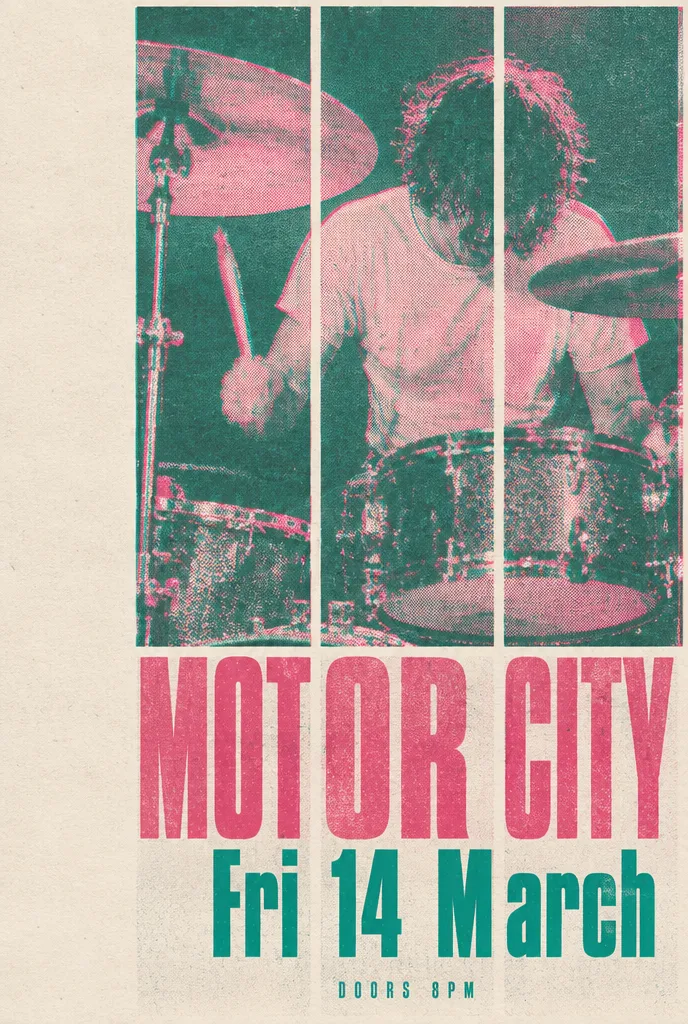
Two colour risograph gig poster
sunburst · high · 1024x1536 · 26s
Two colour risograph gig poster printed on uncoated cream paper. The layout is a strict three column grid. A large halftone photograph of a drummer fills the top two thirds, printed in fluorescent pink and teal with visible misregistration of about two millimetres. The bottom third holds stacked type in a condensed grotesque. The headline reads "MOTOR CITY". Below it a smaller line reads "Fri 14 March". A line of small capitals at the very bottom reads "Doors 8pm". Leave the left margin empty so a venue stamp can be added later. Paper grain and slight ink starvation are visible. Flat lighting, no drop shadows, no gradients.
Misregistration is named in millimetres because risograph looks wrong when the two ink passes line up perfectly. Sunburst is used here because three separate pieces of text have to render cleanly.
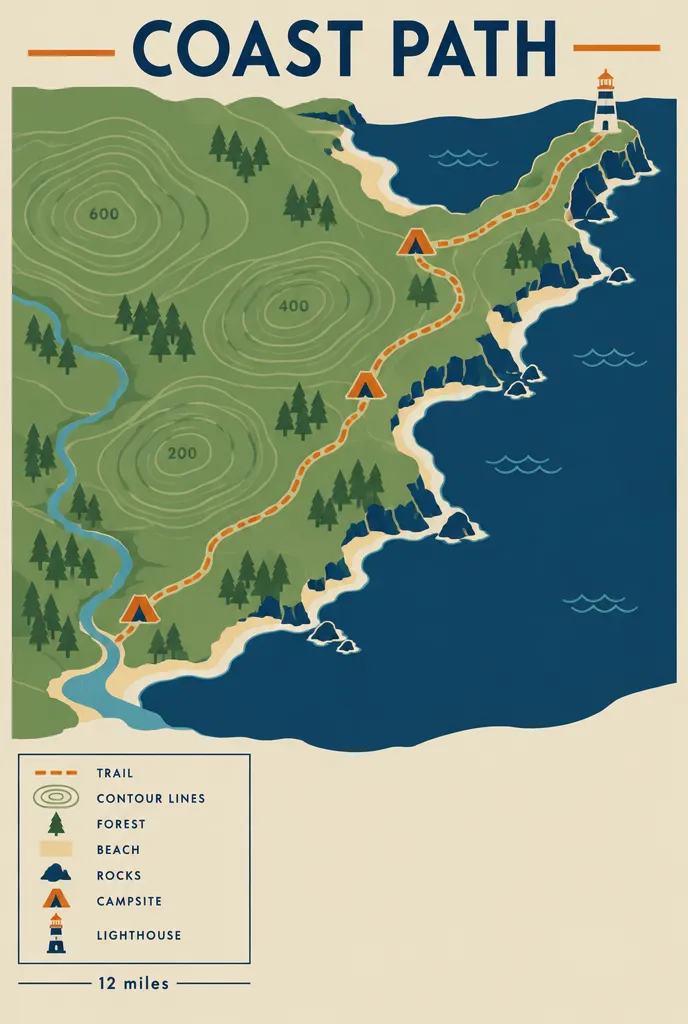
Coastal trail map poster
flare · xhigh · 1024x1536 · 28s
Vertical trail map poster for a coastal national park, drawn as flat vector illustration with a limited palette of sage green, sand, deep navy and one warm orange accent. The map fills the upper three quarters and shows a winding dashed trail line, contour rings, three small tent icons and a lighthouse at the headland. A legend sits in the lower left inside a thin ruled box. The title across the top reads "COAST PATH". A short line under the legend reads "12 miles". Use even shadowless illustration lighting. Keep the lower right corner clear of detail. No photographic texture and no perspective.
Capping the palette at four named colours stops the model from drifting into a muddy naturalistic map. Saying no perspective keeps the coastline flat rather than tilting into a three quarter view.
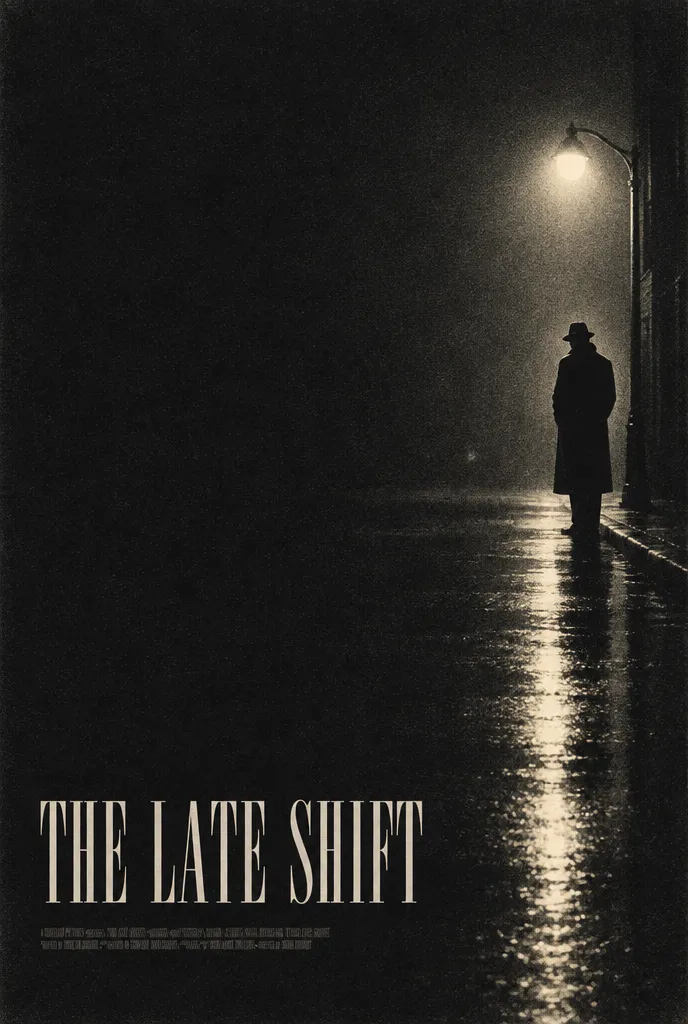
Noir film one sheet
flare · high · 1024x1536 · 19s
Film one sheet poster in a 1950s noir style. A single figure in a long coat stands at the far right, lit from behind by a streetlamp so the body reads as a near silhouette. Wet asphalt reflects the light in long vertical streaks. The rest of the frame is deep charcoal with heavy film grain and a slight halation around the lamp. The composition holds a wide left margin containing nothing but darkness. The title sits low in tall condensed serif capitals and reads "THE LATE SHIFT". A thin credit block sits beneath it, too small to read and rendered as fine texture. Printed litho on matte stock.
Credit blocks are the classic place where poster prompts fall apart. Asking for the block to read as texture rather than words sidesteps the problem instead of fighting it.
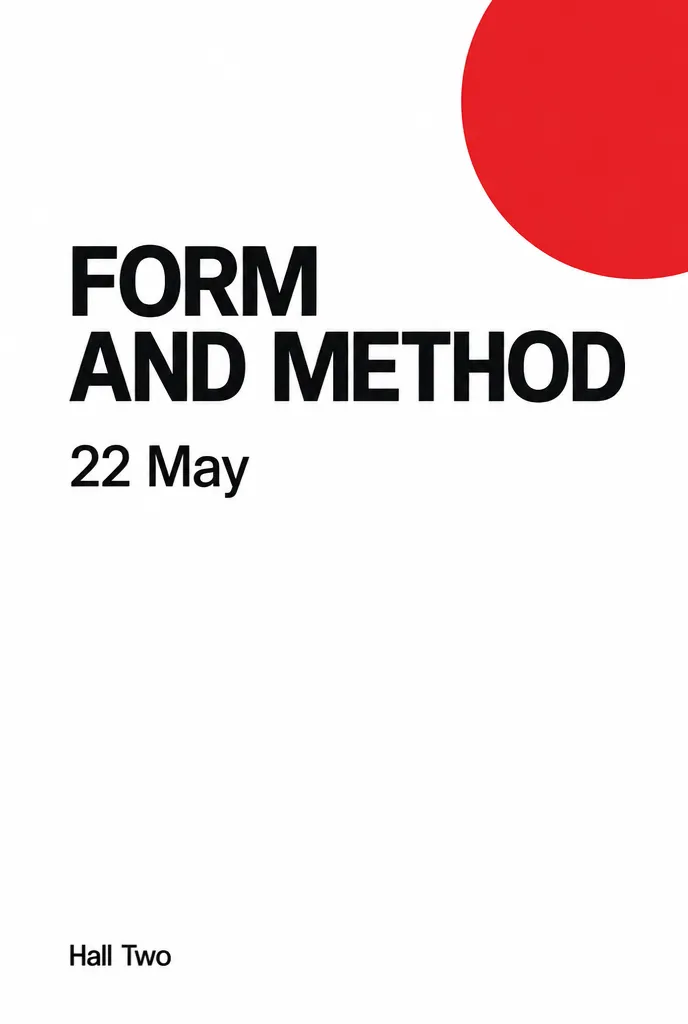
Swiss grid lecture poster
sunburst · high · 1024x1536 · 28s
Swiss style lecture poster on white uncoated stock. The layout uses a six column baseline grid with generous white space. A single flat red circle sits in the upper right and bleeds off the edge. All type is left aligned in a neutral grotesque and set flush to the second column. The main title reads "FORM AND METHOD". Under it a date line reads "22 May". A venue line near the bottom reads "Hall Two". Type sizes step down clearly from title to date to venue. The entire lower left quadrant stays empty. Flat even lighting, no texture, no shadow, no illustration.
Naming the column count and the flush alignment gives the model something measurable to obey. Describing the size relationship between the three lines usually holds the hierarchy steady.
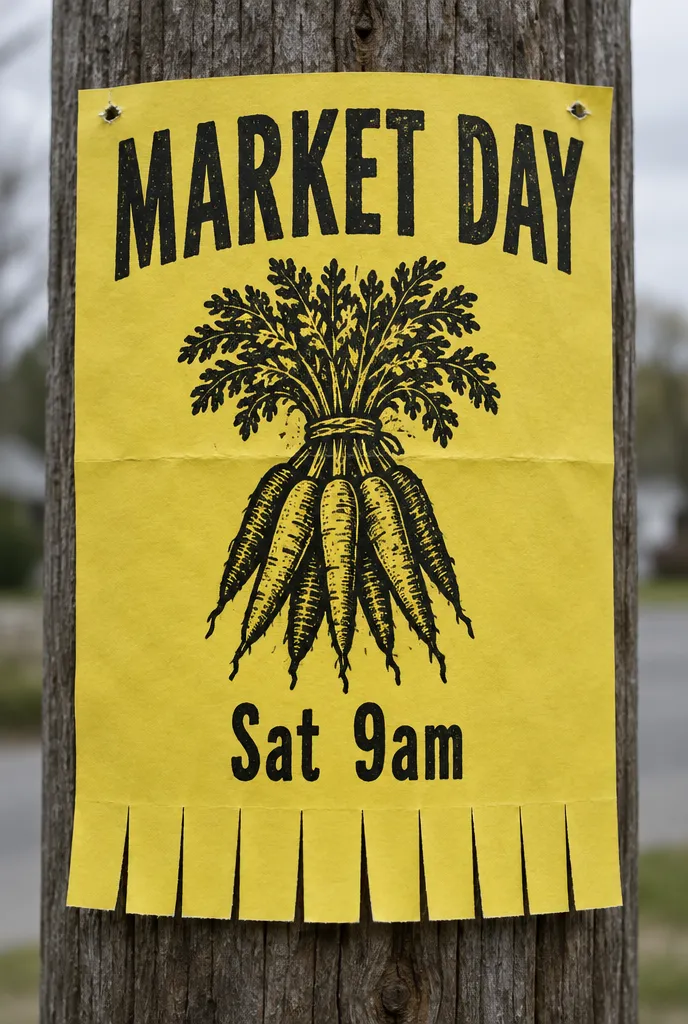
Market day street notice
flare · medium · 1024x1536 · 29s
Community notice poster taped to a wooden pole and photographed straight on. The poster is printed on bright yellow copy paper with a single black ink pass. A crude woodcut style illustration of a bundle of carrots sits in the centre. Hand lettered condensed capitals across the top read "MARKET DAY". Below the illustration a single line reads "Sat 9am". The lower edge is cut into tear off tabs and every tab is blank. Daylight is overcast and even, colours slightly desaturated. The paper shows a horizontal crease and two staple holes at the top corners. The pole grain behind falls out of focus.
Photographing a poster in situ needs a stated camera position, otherwise you get a tilted snapshot. The crease and staple holes are what make a flat print look like it was actually put up.
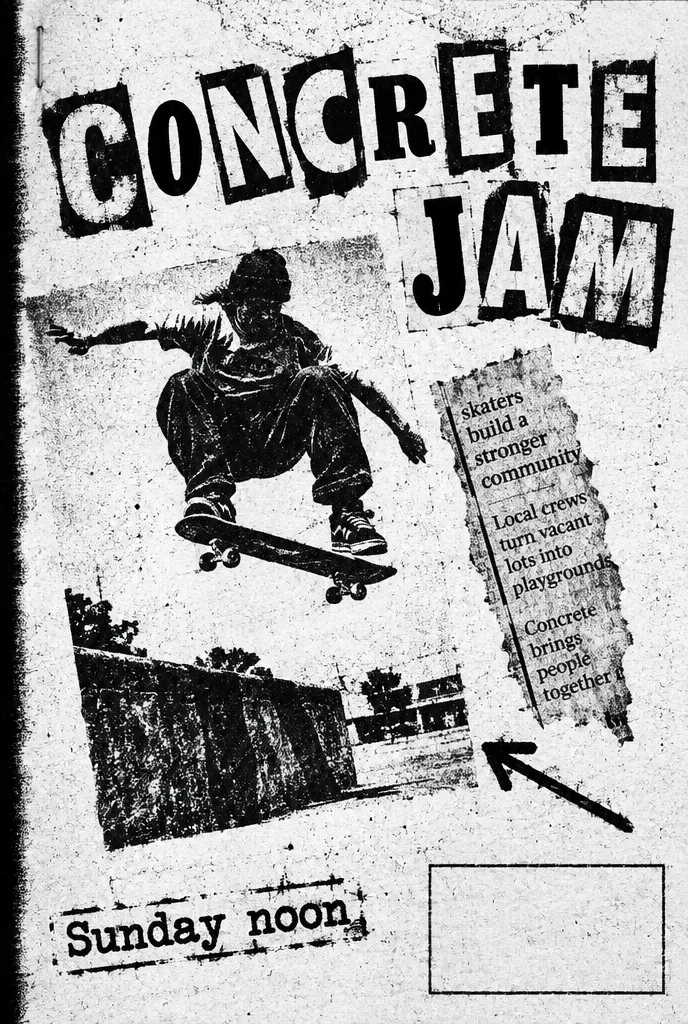
Photocopied skate jam flyer
flare · medium · 1024x1536 · 29s
Black and white photocopy flyer for a skate jam, degraded to roughly a fourth generation copy so blacks are blotchy and midtones have collapsed. Collaged elements sit at slight angles: a cut out ollie photograph, a torn strip of newsprint and a hand drawn arrow. Contrast is brutal with almost no grey. The headline is cut from magazine letters and reads "CONCRETE JAM". A stamped looking line at the bottom reads "Sunday noon". Leave a clear rectangle in the lower right for a sponsor logo. Toner speckle, a black scan edge down the left side and a faint staple shadow. Shot flat under cold fluorescent light.
Naming a copy generation is a cheap way to control how much degradation you get. Ransom note lettering is one of the few cases where slightly wrong letterforms help the piece.
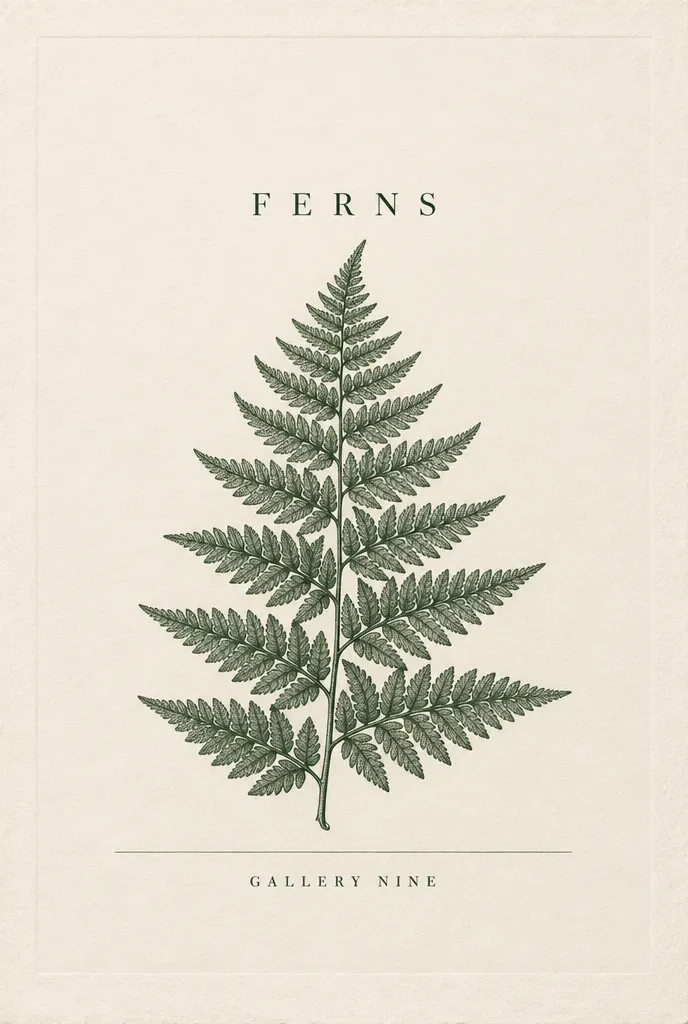
Botanical exhibition poster
sunburst · xhigh · 1024x1536 · 29s
Museum exhibition poster in the style of a nineteenth century botanical plate. A single fern is rendered in fine stipple and hatching, dark green on warm ivory, centred with a wide margin all round. The sheet is printed on textured cotton rag and a faint plate impression is visible around the artwork. A hairline rule runs under the illustration. The title above the fern reads "FERNS". A line under the rule reads "Gallery Nine". Type is a high contrast old style serif with wide letter spacing. Keep the top of the sheet empty above the title. Light is diffuse and frontal, as if the sheet were scanned.
A one word title is the most reliable text you can ask for, which frees the quality budget for the stipple work. The plate impression is the detail that separates an etching from a flat drawing.
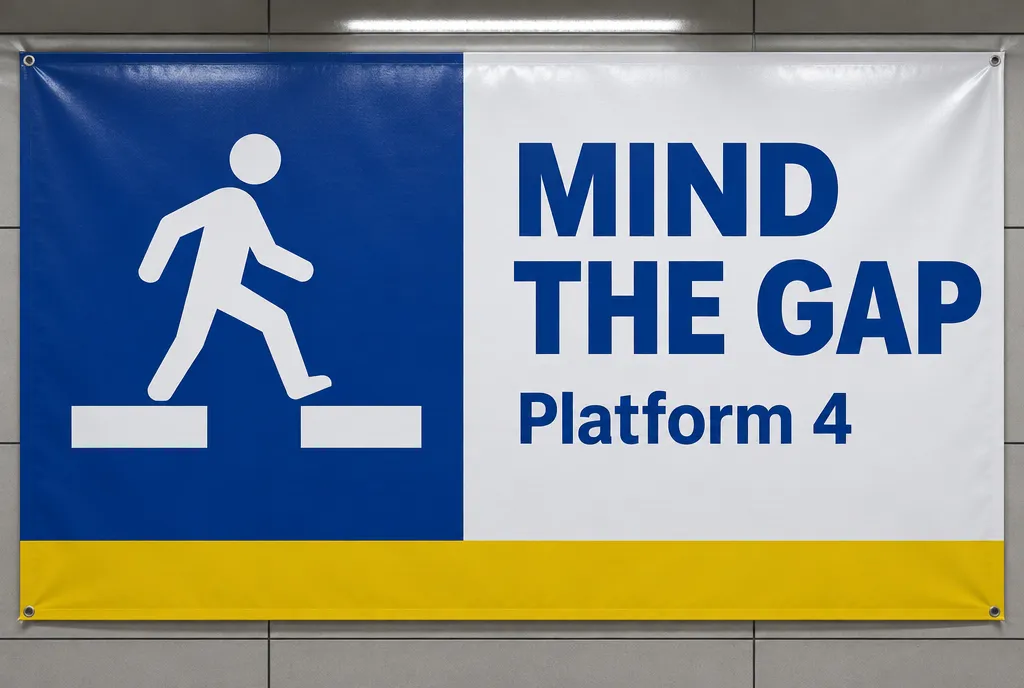
Transit platform safety banner
flare · high · 1536x1024 · 28s
Wide format transit platform notice printed as a vinyl banner and photographed head on. The layout splits into two panels divided by a vertical rule. The left panel holds a flat pictogram of a person stepping over a gap, drawn in white on a deep blue field. The right panel holds stacked type on white. The heading reads "MIND THE GAP". A smaller line beneath reads "Platform 4". A yellow band runs along the bottom edge carrying no text at all. Surfaces are matte with a faint vinyl sheen from an overhead strip light. No gradients, no rounded corners, no decorative elements.
Public signage reads as real when the geometry is boring, so the prompt bans rounded corners and gradients outright. The empty yellow band leaves room for a real operator wordmark later.
Frequently asked questions
Which model should I use for poster titles?
Use gpt-image-2.5-sunburst when the headline, date and venue all have to render correctly. It is slower than flare but it is the model tuned for precise text and precise edits. Use flare for posters where the image carries the piece and the type is decorative or deliberately illegible, such as a noir credit block or a heavily degraded flyer.
Why do my poster headlines come back misspelled?
Rendered text is most reliable when it is short and quoted. Ask for one phrase of roughly one to five words, wrap it in quotation marks, and say where it sits on the sheet. Long taglines, full addresses and dense credit blocks are where letters start to wander. Split those into separate short lines or leave space and add them in a layout tool.
How do I get a specific layout instead of a random composition?
Describe the structure before the aesthetic. Say how many columns, what occupies the top two thirds, where type stacks and which area stays empty. A poster prompt that opens with a grid and closes with a style tends to hold its composition across reruns, while one that opens with a mood word drifts every time.
Can I change one element without regenerating the whole poster?
Yes. GPT Image 2.5 handles multi-turn editing more reliably than the previous generation, so you can keep the image and ask for a new date line or a different accent colour. Sunburst is the better choice for that follow up turn because precise edits are what it is built for.
What quality setting suits a poster?
High covers most poster work. Step up to xhigh when the piece leans on fine detail such as stipple engraving, dense contour lines or engraved rules. Drop to medium for degraded photocopy and street notice looks, where the texture hides detail anyway and the extra rendering effort does not show in the result.
How do I leave room for a client logo?
Say it explicitly in the prompt. Phrases like keep the lower right corner clear of detail or leave the left margin empty give you a usable placement zone. Without that instruction the model tends to fill every corner, and clearing space afterwards means painting over artwork you liked.